
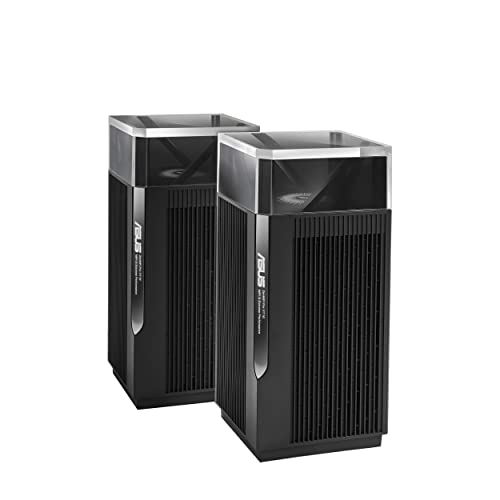
ASUS - ZenWiFi Pro XT12
Running these analyses costs money. Buy through my links to support the site! I may get a small commission for some links, and it doesn't cost you anything. Thank you!
Topics Filter:
Coming soon
- Robust features and advanced controls
- Seamless device roaming with aimesh
- Unstable node connection and disconnections
- Inconsistent wireless backhaul performance

Older ASUS AiMesh user here, and similar story. Portal plays shockingly well, and my PS5 isn't even hardwired.
r/PlaystationPortal • PS Portal Works Well With Mesh Network ->I've been using AiMesh since the beginning, and it was rocky at first, but now I'm currently quite happy with it. One solid main router and two APs outside. What unifi did you get to replace your setup and do you think it was worth the cost?
r/HomeNetworking • What is the Best WiFi Mesh System for Home? ðŸ™ðŸ™ðŸ™ðŸ™ðŸ™ ->WiFi Mesh in my experience is great if there are good sight lines and few thick walls! Can you wire the house for Ethernet backhaul? My wife won’t let me wire the flat (which twists and turns and has very thick 19th century walls - and has the internet intake in absolutely the farthest corner from where I’d want it) so I’ve finally just gotten a decent mesh going with two Asus BQ16s and two Zen XT12. I found the high end processors in the 12 made a huge difference when I upgraded from the XT8. The BQ16 are a really good upgrade but not absolutely necessary: I could have stayed with an all XT12 set up but the XT8’s were simply not powerful enough for my set up. Obviously I have a long daisy chain going but it now works well and is fast. In a consumer/prosumer set up you won’t get the monitoring/notifying you seem to want - they all are pretty much set it up and hold your breath.
r/HomeNetworking →The folks suggesting Omada and Unifi aren't wrong. Those are *great* systems, but they're pretty "pro". If you don't need advanced networking features (e.g., VLANs beyond isolated guest networks, traffic rules)/want something that's more plug-and-play, a mesh system that supports wired backhaul might be a better fit. Asus ZenWiFi performs well, supports wired backhaul, and offers some useful advanced settings. It's not as configurable as Omada or Unifi or MikroTik, but it's simpler to manage and "good enough" (multiple isolated guest networks, band-specific networks, QoS) for lots of home users. Eero also performs well but doesn't support as many advanced features as Asus.
r/HomeNetworking • Best mesh network for house that has cat6 run throughout ->Eero (Amazon), tp link Deco, and Asus ZenWifi are all well-reviewed and perform well. If you've got to go mesh, look for a tri-band system with a dedicated backhaul channel (Eero, Deco, and ZenWifi all have models). Eero and Deco are a little more "plug and play". ZenWifi is also easy to set up, and some models give a few more config options/control than Eero or deco. The tricky part is that you don't know how well mesh will perform until you set it up in your place. Two nodes might be enough, but you might need three (or four). A 6 ghz backhaul channel might work, but, if the walls and floors in your place cause a lot of interference, you might see better perf with a 5 ghz backhaul. So buy from a place you can return it, maybe start with three nodes, test how coverage and speeds look, go from there. All three have 2.5 Gbps ports. 3 gig is a *lot* of bandwidth for a residential setup. Unless you're regularly downloading gigantic files (video, game updates), you probably won't exceed ~300-500 Mbps, and WiFi will de facto limit the perf on any device to ~200-600 Mbps. For most homes, 200 Mbps is plenty. If the 3 gig price isn't much different than ~300 Mbps (if you're in the US, it's hard to find service under ~300 Mbps), go for it, but if you're paying a premium for 3 gig, you can save some coin and you almost certainly won't notice a difference in performance. If you're in Europe, you rule!, fiber away because you're prob only paying like €40 for 3 gig.
r/HomeNetworking • Looking for good mesh system for a 3 story townhome ->Asus? I thjink they are over priced but worth it. I've used both, Deco works when you got the right FW loaded. But asus has better funtionality for power users / home labbers. I personally have 2 xt12 and 2 et8
r/HomeNetworking →Thanks for the detailed reply! I used to use eero Pro 6 before moving to ASUS, reason why I made the switch was because for some reason my hue lights (I have 30-40 of them) suddenly became online all the time, my guess was that eero was using a similar channel for 2.4GHz as the hue hub and there was no configuration flexibility on eero. I actually switched to TP link Deco first, everything worked perfectly for a few days - better range, better performance, until I ran “network optimization” and the router decided to switch the channel on the 2.4GHz bands and broke my hue again… and again, there was no option to choose the channel manually so I was stuck again. I switched to XT12 so I can force the 2.4GHz channel, and everything’s been running perfectly since the switch. I’d hate to lose the flexibility on the configuration for sure of if I move bank to eero or tp link again. Guess I should stick with what I have until they die then :) thanks again for your input
r/HomeNetworking →I can't tell you which to buy but I can tell you that I would not buy Asus! Google Asus wireless backhaul speeds and You'll see others have issues that I'm also fighting with where their wireless backhaul is unstable. Mine can establish at around 900Mbps and then randomly drop to 300 and stay there until I disconnect (remove from config!) the Node and re-add it which is time consuming. I have posted this all over the internet with photos and config print screens and until now it continues. Googling this and you'll see others also have this issue. Mine isn't low end gear either. I have a BT10 with backhaul to an XT12.
r/HomeNetworking →I vote for Option 1 - “Keep what I have”. For 500mbps internet service, WiFi 6 is sufficient. Unless you have a TON of WiFi 7 devices, there’s no real reason to upgrade.. and even if you do have many WiFi 7 devices, the ASUS XT12 is very nice and still has life left. That’s a premium WiFi 6 mesh system. Enjoy it! When to upgrade? I would consider an upgrade if any of these is true: ASUS stops providing firmware updates for the router; you notice devices dropping randomly/not staying connected [indicates issue with router signal, perhaps hardware beginning to fail]; you aren’t able to get full internet speed (or reasonably close to that speed) in several areas of the house, where it used to provide good speed [again, could indicate router starting to fail]. My opinions on the other options: Option 2, “upgrade” to eero Pro 7: I don’t consider eero an upgrade. They (Amazon - owner of eero) will get even more of your usage data and do who knows what with it. You also lose a lot of configurability (eero is app only, unless this has changed recently - ASUS lets you use app or web interface, tons of configurability). Option 3, “Deco BE95”. TP-Link (maker of Deco) is another company that would happily get your usage data (to use their mesh systems you need to use their mobile app and register an account, thus tying your account info to the device). TP-Link also doesn’t support their devices with firmware updates as long as ASUS. And like eero above, TP-Link mesh products don’t have a web interface (as far as I know, someone will correct me if that’s inaccurate) so you must use a mobile app with minimal config info. Another negative/strike against eero and TP-Link (and Netgear, just to throw that in there) is the requirement to pay a monthly subscription fee for additional security features. Meanwhile ASUS gives you their full security suite (Ai Protection Pro) for free. Not trying to sound like a commercial, but ASUS provides a decent product (not the best but good for consumer grade) with all security features included with the router/mesh purchase. No subscription fees, ever. And you can use mobile app and/or web interface to configure a multitude of options. And no need to register an account to use the mobile app. Disclaimer: I have an ASUS XT8 mesh system. I have formerly used Netgear and TP-Link products so I base my response on my experience.
r/HomeNetworking →Asus XT12. I too complicated my life with extenders, wifi routers 9in repeater mode or WDS, cheaper mesh systems like Asus Lyra, Mercusys, TPlink, all in the range of $50-$100/ device. All with issues, poor performance, random disconections of the nodes, fluctuating speeds and occasionally low bandwith connections despite good signal. About 6 months ago i got myself a set of XT12 mesh nodes for $300, i never paid so much for a 2 node system. I liked it so much two weeks late i bought another set. I has no WiFi 6, WiFi 7, but it has rock solid signal,no disconnections and you get over 10MB/s (enough for 1080p YT) and devices stay connected even when i am over 2 houses away and the signal bars dissappear and you are at -90db
r/wifi →Hey OP. I've been living with wireless backhaul mesh for the last few months in our new place and with a few tweaks, it's been fine. I'm using Asus AiMesh with two remote nodes, plus a couple of old OpenWRT routers purely as bridges for wired devices. I'm in the process of running cable just now just to make the most of my FTTP connection but some generic tips that seemed to help me, if you do go down the wireless route. - Choose a system with multiple radios in each node, so you can dedicate a channel to the backhaul. - Look for mesh nodes that allow you to plug devices into them and position them accordingly. The "wired" devices will obviously still be using wireless via the mesh, but keeping their own radios quiet keeps the spectrum free for the mesh nodes and wireless-only devices to talk. The mesh nodes will almost certainly have better antennae and radios than the client devices. - Try to position the nodes so they are all talking with the main router rather than hopping via each other. On consumer gear this can be more of an art than a science but it boils down to finding different locations with the same signal strength to the main router so they link directly. - Although not acting as mesh nodes, I've repurposed a couple of old routers running OpenWRT + Relayd in the office and games room, so my PCs and old consoles without wireless can get internet. - Some mesh systems allow you to lock clients to a particular node. Play around with this - you can steer dumb devices to their nearest node rather than them trying to pick up a faint signal from a further one and shouting over everything else. Smart speakers and displays are particularly bad for this. In my office, about 25 metres and 1.5 floors (it's a L-shaped split level house) away from the main AP, my main PC wired into a mesh node can pull around 400Mbps down on a 990Mbps fibre connection. Previously with the PC and laptop using their own radios, I'd be lucky to see over 150 on either. Good luck!
r/HomeNetworking • Mesh without wired backhaul ->I have an Asus XT12 mesh system with two points. I recently had to factory reset them due to a borked FW update and since I was messing with it I took the time to separate my 2.4 and 5ghz bands. Everything is much happier now.
r/homeassistant • Higher Density WiFi Recommendations? ->Netgear isn't who I'd recommend. Not only are they expensive but they need a specific base station router rather than all the satellites being capable of running the whole thing. ASUS with AImesh is the most versatile as it will work with any of their own products even older ones and you can mix and match freely. I don't think you can mix and match TP link but at least they don't require a specific base station so you can use the routers in any location/configuration and extend/replace as needed without a worry that it's not compatible because it's only a satellite/base station. TP-Link/Netgear software and features are worse than ASUS and far more basic/limited. Eero requires a subscription for stuff you get for free/default on ASUS, also MerlinWRT is a god send.
r/gadgets • Eero Pro 7 Review: Great Mesh Networking, Even if You Don't Have Wi-Fi 7 ->Unifi is not the way for WiFI mesh and even if you don't need mesh it's not for the average joe either. They are expensive but the easiest setup and most feature rich for the average consumer is ASUS.
r/gadgets • Eero Pro 7 Review: Great Mesh Networking, Even if You Don't Have Wi-Fi 7 ->I have a 2 nodes ASUS XT12 with a dedicated wifi6 wireless backhaule. The 2nd node is 2 stories upstairs (bricks walls and wood ceilings) and I can use the full 1Gb/s internet speed provided. Before I had a ubiquiti amplitude. Coverage was ok but the max speed I've got was 500 Mb/s. The asus is expensive but works really well. In my situation the 2 nodes are communicating at 2Gb/s. The nodes have also 2,5Gb ports. So attaching wired devices allows to communicate really well.
r/HomeNetworking • Does your mesh system perform well? ->You must have gotten a dud. Deco BE95 system. Simply amazing. Had it for 12 weeks now. Zero drops. 5800 sq ft home. ISP 6 Gig up and Down. Wired backhaul. 121 connected devices. Wired devices that can handle multi gig speeds - 6 GIG WiFi 7 - 2.5-4.3 GIG WiFi 6E - 1.8-2.4 GIG WiFi 6 - 1.1-1.6 GIG WiFi 5 - 600 mbps - 900 mbps WiFi 2.4 - 200-500 mbps The consistency, reliability and speed blow every simple competitor out of the water in my experience! Amazing system and have tried them all! Eero Max 7, Orbi 970s, Asus ZenWifi
r/amazoneero • Moved from Deco to Eero 6+ ->Yeah I like the ASUS approach as well. Mine just works, and it is so easy to add another node anytime I want since their stuff is all interoperable with the AiMesh setup.
r/HomeNetworking • Best wifi mesh system - which one should I buy? ->Never ever asus for me anymore. What a piece of junk. 1200 dollar down the drain here..
r/HomeNetworking • View on Reddit →WiFi Mesh in my experience is great if there are good sight lines and few thick walls! Can you wire the house for Ethernet backhaul? My wife won't let me wire the flat (which twists and turns and has very thick 19th century walls - and has the internet intake in absolutely the farthest corner from where I'd want it) so I've finally just gotten a decent mesh going with two Asus BQ16s and two Zen XT12. I found the high end processors in the 12 made a huge difference when I upgraded from the XT8. The BQ16 are a really good upgrade but not absolutely necessary: I could have stayed with an all XT12 set up but the XT8's were simply not powerful enough for my set up. Obviously I have a long daisy chain going but it now works well and is fast. In a consumer/prosumer set up you won't get the monitoring/notifying you seem to want - they all are pretty much set it up and hold your breath.
r/HomeNetworking • View on Reddit →To echo what plenty of others are saying, but also provide links to specific items to Do-It-Yourself and save money but still get good finished product. Assuming you have roof/attic access above the rooms and can run power to the attic: * buy bulk CAT6 cable, shielded twisted pair, not CCA (CCA stands for copper coated aluminum). [Get good shielded copper wire, like this](https://a.co/d/ijNWYa0). * buy a [crimper toolkit like this](https://www.amazon.com/dp/B0C7GRX9DW) * watch a few youtubes on terminating Cat6 cable. * buy a mesh wifi system like Amazon Eero, tp-Link Deco, Asus Zen Wi-Fi, etc. [Here's a good article / review of mesh systems and what to look for](https://www.cnet.com/home/internet/best-mesh-wifi-routers/) **NOTE:** mesh wifi is the consumer grade solution. If you can afford it, you're better off getting Wifi Access Points (APs) - the business grade solution - Ubiquiti is the best known of the AP options. Connection works similarly, with one key difference -- APs require power over ethernet (POE) instead of an electrical outlet / power supply. There are pros and cons of installing either Mesh or APs. * buy at least one [Unmanaged Ethernet Switch like this](https://a.co/d/88WLwNn) - this one is 8 port (1 connection in, 7 out). * You'll run an ethernet cable from your Comcast box to your wifi mesh router. Then you'll run a **long** ethernet cable down toward your L-corner dead zone. You'll plug that long ethernet cable to the Unmanaged Ethernet Switch. Then you'll run another ethernet cable from the Unmanaged Ethernet Switch to one of your mesh wifi satellites. BAM! Good internet within reach of that mesh satellite. You'll need to estimate/experiment with how many satellites the system needs (get multiple people to watch netflix on iPads, and spread them along rooms close to the mesh satellite -- see how many people / how many rooms you can cover before you need to add another mesh wifi satellite). I did a low-key simplified version of this at my house. Reply here if you have questions / need help. # You can do this yourself.
r/wifi • View on Reddit →It can be great. I assume there isn't interference from your neighbours. I love Asus's AImesh system, as you can choose from many different options. Also, you could pick some used devices for cheap, maybe to test them out. Is there COAX in the house?
r/HomeNetworking • View on Reddit →ET12 have no 5Ghz band 2. I returned mine & got the XT12s, which give me 1Gbps wireless mesh setup from furtherest device east to west. 6Ghz is super crappy for distance.
r/HomeNetworking • View on Reddit →I do t know which is the best bit I sure know that Asus AI Mesh is terrible. The backhaul will start great and then about 20 minutes later drop to 50% or less. It's quite common, Google it
r/HomeNetworking • View on Reddit →I'd avoid TP-Link out of security concerns, Asus ZenWifi or Alta Labs AP's with the Route10 is the way I'd go.
r/HomeNetworking • View on Reddit →I would upgrade to better mesh system. ASUS makes nice mesh routers. I have zenwifi AX they are great get WiFi all over the house and good bit in tho the yard around the house. House location has no cell phone service.
r/HomeNetworking • View on Reddit →For gaming use cable, for wifi coverage of this size, you can do well with asus aimesh, you can pick two routers of your choice, cheaper than ismesh system and many settings available.
r/wifi • View on Reddit →I've been using AiMesh since the beginning, and it was rocky at first, but now I'm currently quite happy with it. One solid main router and two APs outside. What unifi did you get to replace your setup and do you think it was worth the cost?
r/HomeNetworking • View on Reddit →After trying Google Nest and multiple Tp-Link Deco devices, I always fondly look back at one Apple's two devices - the AirPort Extreme and AirPort Time Capsule, which continues to work fine at my home. The only devices that appear to work without a hitch are the Asus ones. I'd recommend looking at Asus mesh systems like the RT-AX92U or ZenWiFi series. They work beautifully with wired backhaul, which you can now take full advantage of. What you'll find good: actual web interface (no more phone-only nonsense), robust VLAN support for segregating IoT devices, proper MAC filtering, and ethernet ports on every node. Given your 2200 sq ft layout with that fireplace, keeping a similar node placement with Asus units should give you solid coverage.
r/HomeNetworking • View on Reddit →I've been using Asus Aimesh for years. 3 nodes and seamless switching when walking around. There does seem to be a client limit at about 75-80 wifi devices whiche forced me to move iot devices to a separate wifi network. Asus is great to start with but unifi likely my next system
r/wifi • View on Reddit →I've had success with Asus Zen Wifi and Amplifi; but I think Asus is a better product personally. I have Ubiquiti in my home right now and don't particularly like it.
r/HomeNetworking • View on Reddit →You can connect mesh nodes through Ethernet. OP has an Asus router, so they can buy more WiFi6 Asus Routers and connect them through Ethernet to set them up as AiMesh Nodes. My house network is set up like that, and I only have issues when streaming to my phone when going downstairs because it changes nodes, so it lags for like two seconds, and then goes back to normal. Other than that, it's a great experience all around.
r/MoonlightStreaming • View on Reddit →Hello! I have an asus zen WiFi mesh net with two of the three nodes set up. I have Ethernet over coax and have the downstairs node connected via Ethernet. I should (based on the range of these routers) have excellent coverage in the house. I have noticed however my devices sometimes get confused which node it should connect to, resulting in sub par speeds. The nodes are very far apart. When I did add the third node I felt I was getting crazy interference. Any suggestions?
r/HomeNetworking • View on Reddit →Asus AiMesh can be configured without an app and uses local credentials for management.
r/nbn • View on Reddit →I had a lot of issues with the google nest wifi- for the past year or so I have used an Asus ZenWifi which works better for me, and I do have usable network access from my shed which is about 100 Ft away from the house. My biggest issue is getting a signal past the walls/siding in our house- there is 'double' siding because the house originally had asbestos siding, and a former owner put vynil over it. I get by this with a small enclosure holding one node just out side the walls of the house.
r/HomeNetworking • View on Reddit →I went from DD-WRT for years to ASUS AiMesh and have been on Unifi equipment for a good four years now. I never have any issues with roaming (3600+ home) and I can fine tune whenever necessary (rare). I love the Unifi and don't plan on moving away any time soon. If you want peace of mind, I definitely also recommend Unifi.
r/HomeNetworking • View on Reddit →It's called a wired backhaul mesh. Look it up. The point of using mesh nodes connected through ethernet is to keep the "seamless" transition between nodes without having any network degradation between them.
r/MoonlightStreaming • View on Reddit →Avoid tp-link and any other CCP networking equipment. Don't intentionally put stuff with backdoors in them just to save a few bucks. Unifi is great but it's expensive and you really should use it wired. If you're just looking for plug and play mesh Asus has good offerings. Their AI mesh system works well
r/HomeNetworking • View on Reddit →Getting 1Gps wireless is going to require specific clients and a higher end mesh (likely WiFi 7). So you really need to specify a budget. High level you want a 3 unit (unless you meant 3 floors + the basement, then 4 units). Get a tri-band unit. I have great success with the Eero Pro 6E, Asus XT12s (really hard to find now but XT8/9 are easy to find and have really solid performance for the price). The Deco BE63 are on sale and WiFi 7 and the XE70s are solid.
r/HomeNetworking • View on Reddit →I have been an Asus AIMesh user for a long while now. I have/had a fairly robust Asus system when I lived on my father's property and I built out a system to cover both the main house and the detached studio I was living in. I like the Asus products for all of the settings and lack of subscriptions. The products can be a little buggy when they're first released (I would not rush to buy a new product), but Asus is generally good about pushing updates out and they have been relatively rock solid. I moved into my own house about 3 months ago and haven't moved any of my network equipment over yet, because I've dreaded having to mess with his setup. I need to get my Asus Wifi 7 router back from his house and set up one of the nodes to act as his main router. Frontier gave me an Eero 7 that I have been using at my house and it SUCKS. I easily have 60+ devices, with a lot of smart home/IoT devices, and the Eero has not been reliable in keeping everything connected. If I was starting from scratch I would consider Ubiquiti, but the Asus has been good to me for 5+ years. If you are in the United Sates, I would be nervous about purchasing any TP-Link products with the possible government ban looming. All of my switches are TP-Link, so that's a bummer if they get eliminated from the market.
r/HomeNetworking • View on Reddit →I have a 2 ZenWiFi AX's on each floor of my house. WiFi everywhere, including a bench at the back fence of the property kicks butt. I'm using wired backhaul over coax between the two and another wired to living room entertainment center that has a lot of smart home hubs. I have 1gig up and down fiber to the house and the 1gig coax adapters I use work well. The entertainment center that is after two coax connections gets 650 gb still.
r/HomeNetworking • View on Reddit →I can't tell you which to buy but I can tell you that I would not buy Asus! Google Asus wireless backhaul speeds and You'll see others have issues that I'm also fighting with where their wireless backhaul is unstable. Mine can establish at around 900Mbps and then randomly drop to 300 and stay there until I disconnect (remove from config!) the Node and re-add it which is time consuming. I have posted this all over the internet with photos and config print screens and until now it continues. Googling this and you'll see others also have this issue. Mine isn't low end gear either. I have a BT10 with backhaul to an XT12.
r/HomeNetworking • View on Reddit →ASUS aimesh is the best option besides true ap based systems.
r/HomeNetworking • View on Reddit →I have had nothing but problems with 2 generations of this mesh system. No devices connect to any nodes, only the primary access point. One of my nodes constantly disconnects from the main access point despite being 40 ft away with 2 walls between. It's driving me insane.
r/HomeNetworking • View on Reddit →Older ASUS AiMesh user here, and similar story. Portal plays shockingly well, and my PS5 isn't even hardwired.
r/PlaystationPortal • View on Reddit →Sure that's the preferred route. Most of my locations are wired. But there are plenty of people that can't run cables for whatever reason. And a good mesh unit is very dependable. My Asus XT12s are rock solid.
r/ATTFiber • View on Reddit →Backhaul is how the routers talk to each other. It's best to do it wired. But, if you can't they will use one of the channels on the router that becomes a dedicated circuit (band) where they talk to each other. That's why you need at least three bands. If you want Wi-Fi, 7 I would recommend the bt-10 or the expensive BE98 pro. If you just want Wi-Fi 6e, any of the routers I mentioned before would work.. et8, et9,xt9,xt12,et12. Additionally, avoid the BQ 16 and the be96u, the firmware on the routers is buggy and has not been updated. I have personally used the et8, xt9 and the be98 pro. They have all been fantastic.
r/wifi • View on Reddit →Most mesh systems will support as many nodes as you wish. But not all nodes are created equal. You'll obviously need fewer nodes with a high powered node vs a cheap node with little range. I would HIGHLY suggest wired backhaul if possible, no matter the hw you ultimately decide upon. Ubiquity has a good solution for your use case at attractive price points. Asus' AIMesh setup also works well, allowing you to easily tailor the hw for your home's needs
r/HomeNetworking • View on Reddit →I installed 3 of these at my parent's lake place. We had one room opposite of the router that would not get any signal because it was a renovated screen porch (exterior wall and door to get into the room). I essentially made a path from just outside the room with the router, to the room with the signal issues. Every repeater had a minimally restricted line of sight to the next. Worked amazing. At my house I have an Asus ZenWifi Mesh system that I set up as a wired backhaul to the main router. That's the best option, but my house was already wired for ethernet so it made sense and was easy to do.
r/HomeImprovement • View on Reddit →my asus tri-band does really well. i get hardwired speeds on 5G using the dedicated 6G backhaul but the 6G band does not penetrate well, so it's important to not put too much distance or material between the main router and the mesh units
r/HomeNetworking • View on Reddit →Asus with Ethernet back haul. Router + 2 APs. Works great, gigabit access all over the house!
r/googlehome • View on Reddit →I had Netgear (with an external firewall and generic access points) before they acquired Orbi, then tried Orbi which did not have enough info/options. Then went to at least 4 different types of AX Asus units for the longest time (10+ years with plenty of options and info but started to become unstable), then recently switched to Gryphon AX due to the need for parental controls for kids. I am thinking of going to Unifi next in a year or 2, as I miss the options/info that Asus provided, and get more with Unifi.
r/HomeKit • View on Reddit →Rog gt6 here. Don't allow the iPhone devices (which have mac randomization) to join the wifi at all. It would flood the wifi with bunch of crap, causing all sorts of diaconnects, even with other devices. and indeed, logs aren't verbose enough. Never ever asus again
r/HomeNetworking • View on Reddit →Since you have cable Internet and it runs into the basement, you hopefully have coaxial cables available to you throughout the house, and usually in key locations. Just look at the area where all the coax ends should meet, likely in the basement where your modem/router is at and plugged into. If you do find this bunch of coax, you can use it with MoCA Adapters to build a wired Ethernet network inside your home. If you can achieve that, then getting good WiFi everywhere will be easy, as well as providing wired capabilities for other devices in needed locations. MoCA Adapters can be a bit expensive, but worth the cost. If you can build this MoCA network, then whatever you choose as the router and Access Points will work very well, including a 3 pack of a reputable mesh brand. For mesh, I use and can recommend eero. But ASUS Zen mesh is also praised a lot, and has more configurability. If you want to go higher end, you can get an Ubiquiti Cloud Gateway router, a Ubiquiti PoE switch, and some Ubiquiti Access Points. It's more expensive, but very capable of advanced setups, and is very stable. I use Ubiquiti at another home and in my office location, and I can recommend them personally as well.
r/HomeNetworking • View on Reddit →Eero (Amazon), tp link Deco, and Asus ZenWifi are all well-reviewed and perform well. If you've got to go mesh, look for a tri-band system with a dedicated backhaul channel (Eero, Deco, and ZenWifi all have models). Eero and Deco are a little more "plug and play". ZenWifi is also easy to set up, and some models give a few more config options/control than Eero or deco. The tricky part is that you don't know how well mesh will perform until you set it up in your place. Two nodes might be enough, but you might need three (or four). A 6 ghz backhaul channel might work, but, if the walls and floors in your place cause a lot of interference, you might see better perf with a 5 ghz backhaul. So buy from a place you can return it, maybe start with three nodes, test how coverage and speeds look, go from there. All three have 2.5 Gbps ports. 3 gig is a *lot* of bandwidth for a residential setup. Unless you're regularly downloading gigantic files (video, game updates), you probably won't exceed ~300-500 Mbps, and WiFi will de facto limit the perf on any device to ~200-600 Mbps. For most homes, 200 Mbps is plenty. If the 3 gig price isn't much different than ~300 Mbps (if you're in the US, it's hard to find service under ~300 Mbps), go for it, but if you're paying a premium for 3 gig, you can save some coin and you almost certainly won't notice a difference in performance. If you're in Europe, you rule!, fiber away because you're prob only paying like €40 for 3 gig.
r/HomeNetworking • View on Reddit →Asus' AiMesh works with both wired and wireless backhaul. I will always recommend wired backhaul, but if you have a good signal from one to the other, you can setup wireless. Have done so for a work shed not attached to the main house. I have also used both powerline and MoCA adapters as wired backhauls with success. Powerline may not be fast, but when it works it can be very reliable.
r/HomeNetworking • View on Reddit →Asus? I thjink they are over priced but worth it. I've used both, Deco works when you got the right FW loaded. But asus has better funtionality for power users / home labbers. I personally have 2 xt12 and 2 et8
r/HomeNetworking • View on Reddit →I've used Nest WiFi, Nest WiFi Pro, and Asus AiMesh for my HFC Setup. Although both Nest setups were sufficient, I personally prefer the Asus AiMesh setup for my needs.
r/nbn • View on Reddit →I bought that same mesh system you posted from Costco last month for $399 Although I prefer Asus, I didn't want to spend $800+ for wifi7 speeds and Costco doesn't sell Asus. Costco also has an unlimited return policy on WiFi routers. I previously had the zenwifi ax system and was getting 400-500mbps around my house. Now I get 700-1000+mbps with the BE11000 on my 6e and 7 clients
r/HomeNetworking • View on Reddit →